


Everand: Audiobooks & Ebooks
3.537.14K Reviews
App Specs
- Version
- 16.22
- Updated On
- License
- Free
- Downloads
- 10,000,000+
- Developer
- Scribd, Inc.
- Categories
- Books & Reference
- Platform
- Android, iOS
Screenshots

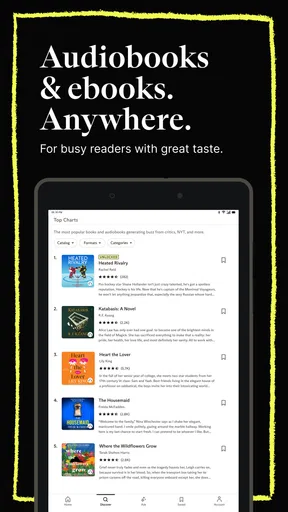
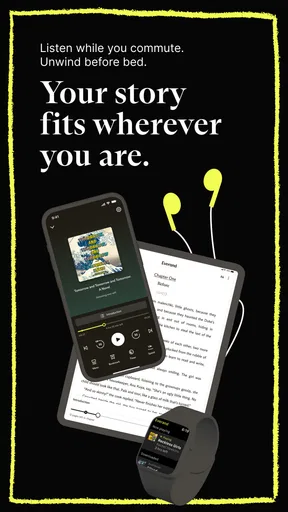
 Analysis by AppCompare
I find a shared reading app most useful when it fits around different routines rather than asking everyone to read the same way. One person might listen while cooking, another might read before bed, and someone else might use an ebook during a quiet break. Everand: Audiobooks & Ebooks brings those formats together, which makes it worth considering for a household that wants one place to browse both. The main question is how well that convenience works when several people have different tastes and use the same devices.
When one household wants different formats
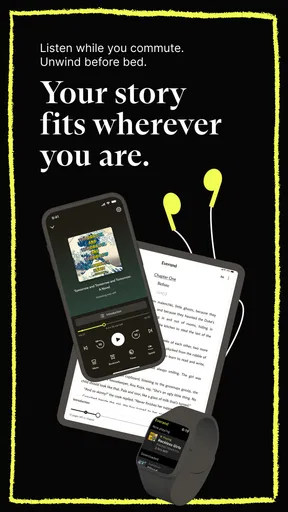
A realistic use case is a family winding down after dinner: I might listen to a novel while tidying up, while another person reads on a tablet in the living room. The app’s mix of audiobooks and ebooks suits that split better than a service focused on only one format. For adults who already alternate between listening and reading, being able to choose based on the moment is the clearest reason to give it a look.
It is also useful for a couple or housemates who trade reading recommendations but do not necessarily want to share a reading pace. Someone can listen during a walk without holding a screen, while another can read the same kind of material at home. I would treat the shared library as a browsing convenience, not as proof that everyone’s activity or account settings are automatically separated.
Set expectations before sharing a device
On a tablet that more than one person uses, I would agree on a simple routine before handing it around: check which book is open, avoid changing another reader’s place, and make sure downloads are ready before leaving home. These small habits matter because an audiobook paused in the middle of a chapter or an ebook left on someone else’s page can make a shared device feel less personal.
I would also keep account access in mind. Syncing across devices is handy when one person moves from tablet to phone, but a household should decide whose account is being used and which devices belong to that person. I would not assume separate profiles or household controls are available just because the app supports use on multiple devices. If clear personal libraries and independent histories are essential, separate accounts or a service designed around household profiles may be a better fit.
Coordinate listening without turning it into a chore
For a book club or a pair of friends, the practical advantage is that people can choose the format that fits their week. One listener can use the audio edition during a commute, while another reads an ebook at home. Before settling on a shared title, I would check that the format each person wants is available in the app, then agree on a pace that does not depend on everyone having identical free time.
Notes and highlights can help an individual remember an idea, but I would not treat them as a replacement for a group’s own discussion notes. If you are reading together, a low-friction approach is to jot down a short passage or chapter reference and bring it to the conversation, rather than expecting the app to manage the group’s schedule. That distinction keeps the app useful without assuming it handles coordination behind the scenes.
Worth Reading Before You Choose

Flipboard Shows What News Apps Must Do Beyond the Feed

Switching to Android Auto Means Rethinking Your Driving Routine

Google Calendar Makes a Crowded Week Easier to Manage

Ludo King Makes the Most of the Minutes Between Plans

Baby Panda World Brings Quick Play to Modern Phones, but Its Game Library Feels Busy

ESPN’s Live Game View Makes Following Close Games Easier
With a large collection, choosing what to read can take longer than expected. I find it helps to search with a specific mood or subject in mind, save a few plausible options, and then pick one for the next commute or quiet evening. That is more effective than scrolling through recommendations indefinitely, especially when several people are suggesting titles at once.
Age context and trust
The app is rated for Everyone, but that label is not a substitute for a parent checking whether a particular book suits a child. A broad catalog can include material aimed at very different readers, so I would choose titles together and let younger users know how to ask before opening something unfamiliar. This is a sensible boundary for a shared library, rather than a feature I would expect the age label itself to provide.
For adults, the same habit is useful for a different reason: recommendations reflect individual interests, and a household’s tastes may not match. I would avoid assuming that a suggested title is right for everyone simply because it appears in the app. If a device is passed between adults and children, keeping the person using it in mind is more reliable than treating one recommendation feed as a household-wide guide.
Trust also means being realistic about what a subscription gives you. A subscription service can be convenient for browsing a range of books, but it is not the same as buying a permanent copy of every title you read. If you care about owning particular books for the long term, a purchase-based ebook store or a physical copy may suit that purpose better.
For context, this Books & Reference app comes from Scribd, Inc. It is free to install, rated Everyone, and has an average rating of 3.6 from around 616,000 ratings, with more than 10 million installs. The version is 16.2, and in-app purchases range from $0.99 to $19.99 per item. Those details make the cost distinction worth noticing: installing it is free, while access to the full experience can involve a subscription or other in-app purchases.
A Hub of Endless Stories
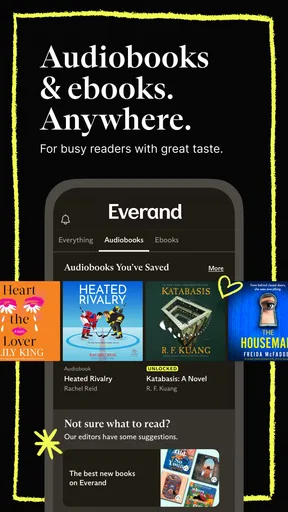
First things first, the library. Oh, the library! Everand boasts a vast collection of both audiobooks and ebooks, ranging from bestsellers to timeless classics. Whether you’re into thrillers, romance, sci-fi, or self-help, there’s something for everyone. I was genuinely impressed by the diversity and depth of the selection. It’s like having a bookstore and a library rolled into one, right in your pocket.
The app is super user-friendly, and navigating through the categories feels as smooth as butter. I mean, who doesn’t love a clean and intuitive interface? You can easily switch between audiobooks and ebooks, depending on your mood or situation. Stuck in traffic? Pop in your earbuds and let the story unfold. Cozy at home? Snuggle up with your favorite ebook.
Customizable Reading and Listening Experience
One of the standout features for me was the customization options. For ebooks, you can adjust the font size, background color, and even the brightness, making it easy on the eyes. I appreciate this because, let’s be honest, reading in the dark can sometimes feel like a strain. As for audiobooks, the playback speed can be adjusted, which is a lifesaver for those of us who like to breeze through a book in record time or savor each word slowly.
Another cool feature is the ability to highlight text and take notes. If you’re anything like me, you love to jot down memorable quotes or ideas for later reflection. This feature makes it easy to keep track of all those aha moments.
Offline Access and Sync Across Devices
Now, let’s talk about convenience. Everand offers offline access to both audiobooks and ebooks. This means you can download your favorites and enjoy them without worrying about Wi-Fi or data. Perfect for those long flights or commutes where connectivity can be a bit iffy.
What’s more, the app syncs across multiple devices. So, if you start a book on your tablet at home, you can seamlessly continue on your phone during your lunch break. It’s these little things that make the reading experience so much more enjoyable and hassle-free.
Community and Recommendations
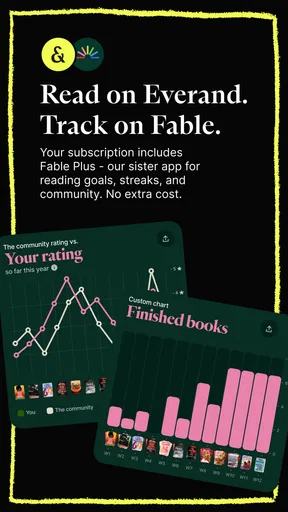
Everand also fosters a sense of community among its users. You can connect with fellow book lovers, share recommendations, and even join book clubs. It’s like having your own little bookish social network. The app’s recommendation engine is pretty spot-on too. Based on your reading habits, it suggests new titles that you might enjoy. I’ve discovered some hidden gems thanks to these personalized recommendations.
Subscription and Pricing
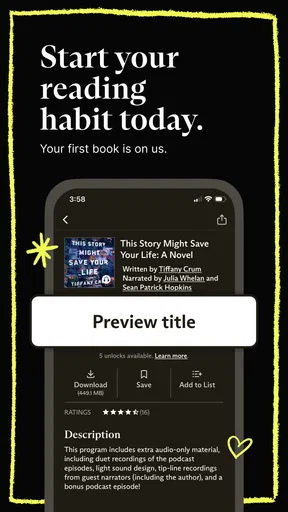
Now, let’s address the elephant in the room: pricing. Everand offers a free version, but to unlock the full library and premium features, a subscription is required. The pricing is competitive, and there are various plans to choose from based on your needs. Trust me, the investment is worth it if you’re an avid reader or listener.
For me, the choice between this and the usual alternatives comes down to how I read. A dedicated ebook app can be a better match if I mainly buy individual titles and want a collection built around those purchases. An audiobook-focused service may suit someone who listens almost exclusively and wants that format to be the center of the experience. This app’s appeal is the combination: it gives me a reason to keep one reading destination for both formats, though that breadth matters less if I rarely switch between them.
There is a useful trade-off in that flexibility. A subscription encourages me to sample books I might not have bought outright, but anyone who reads only occasionally should think about whether recurring access makes sense for their habits. I would first consider how often I actually finish books and whether I value trying different titles more than owning a small, permanent collection. That personal calculation matters more than a general claim that a subscription is always good value.
My practical tip is to make the app fit a routine instead of treating it as another endless feed. I would pick an audiobook for a predictable task, such as a walk or household chores, and keep an ebook for a different moment when I can focus on the page. If a title is not working in one format, switching formats may help, but I would not force myself to finish something simply because I started it or downloaded it.
Offline access is especially helpful when a commute includes dead zones or a trip involves unreliable connectivity. I would download a title while connected and check that it is available before setting off; that simple step is more dependable than assuming a signal will be there when needed. Downloads also make the app a more practical travel companion, though I would still choose material in advance rather than wait until the journey begins to browse.
The reading adjustments are another reason this can work for a shared household, but they are most useful when each reader takes a moment to set a comfortable display. Larger text and a different background can make an evening session easier, while audiobook speed lets listeners choose a pace that suits their attention. These are personal preferences, not one ideal setup for everyone, so I would not expect a setting that works for one person to feel right for another.
All in all, Everand: Audiobooks & Ebooks is a must-have app for anyone who loves a good story. It’s versatile, user-friendly, and packed with features that cater to both readers and listeners. Whether you’re commuting, traveling, or just chilling at home, it’s the perfect companion to enrich your literary journey. So, go ahead, give it a try and lose yourself in a world of stories!
Who will get the most from it
I would recommend it most to people who regularly read or listen and want both options close at hand. It is particularly appealing if your day moves between hands-free tasks and moments when you can sit with a screen. Readers who like to explore beyond familiar authors may also enjoy the chance to browse recommendations, while note-takers can use highlights to preserve ideas they want to revisit.
I would hesitate if you want a tightly separated household experience, if your main goal is permanent ownership, or if you rarely finish books and prefer paying only for an occasional individual title. It may also be more choice than you need if you already rely on a single-format reader and have no interest in audio or ebooks beyond that. In those cases, a focused reading app, an audiobook service, or a book-buying option could be simpler.
My household verdict
For shared-device use, I see this as a flexible way to bring reading and listening into the same home, not as a substitute for clear account boundaries. Decide who is signed in, keep children’s choices age-appropriate, and coordinate shared reading with a simple conversation rather than assuming the app will organize everyone. With those expectations in place, the mix of formats and offline access can fit naturally into different routines.
I would try it if the household genuinely uses both audiobooks and ebooks and will make regular use of a subscription. I would skip it if separate profiles, ownership, or a single dedicated format is the priority. That is the most honest way I can put it: a convenient shared starting point for stories, but not automatically the right account arrangement for every family or group of housemates.
Pros
- Extensive library of audiobooks and ebooks.
- User-friendly interface with easy navigation.
- Offline access for reading and listening.
- Customizable reading and listening settings.
- Seamless syncing across multiple devices.
Cons
- Limited free content available to users.
- Occasional app crashes reported by users.
- Subscription required for premium features.
- May consume significant storage space.
- Limited social sharing options within app.
FAQs for Everand: Audiobooks & Ebooks
What is Everand: Audiobooks & Ebooks?
Everand is a versatile app that provides access to a vast library of both audiobooks and ebooks. It offers a seamless reading and listening experience, allowing users to enjoy their favorite books on the go. The app is designed for both casual readers and avid book lovers, offering personalized recommendations and an easy-to-use interface.
Is Everand available on both Android and iOS?
Yes, Everand is available for download on both Android and iOS platforms. This ensures that users can enjoy its features regardless of their device choice. Simply visit the Google Play Store or Apple App Store and search for Everand to begin your literary journey with ease.
Does Everand require a subscription?
Everand does offer a subscription model to access its full range of features, including unlimited audiobooks and ebooks. However, it may also provide a limited selection of free content. Subscriptions typically include added benefits such as offline access and personalized recommendations, enhancing the overall user experience.
Can I use Everand offline?
Yes, Everand allows users to download both audiobooks and ebooks for offline use. This feature is especially useful for those who travel frequently or have limited internet access. Simply download your selected titles while online, and you can enjoy them anytime without an internet connection.
What features make Everand stand out from other similar apps?
Everand distinguishes itself with its user-friendly interface, personalized recommendations, and extensive library. The app also supports seamless switching between audiobooks and ebooks, allowing users to choose their preferred format. Additionally, Everand offers customizable settings, such as font size and narration speed, to enhance the reading and listening experience.


